

The 10 Best Apps to Block Texting While Driving in 2026

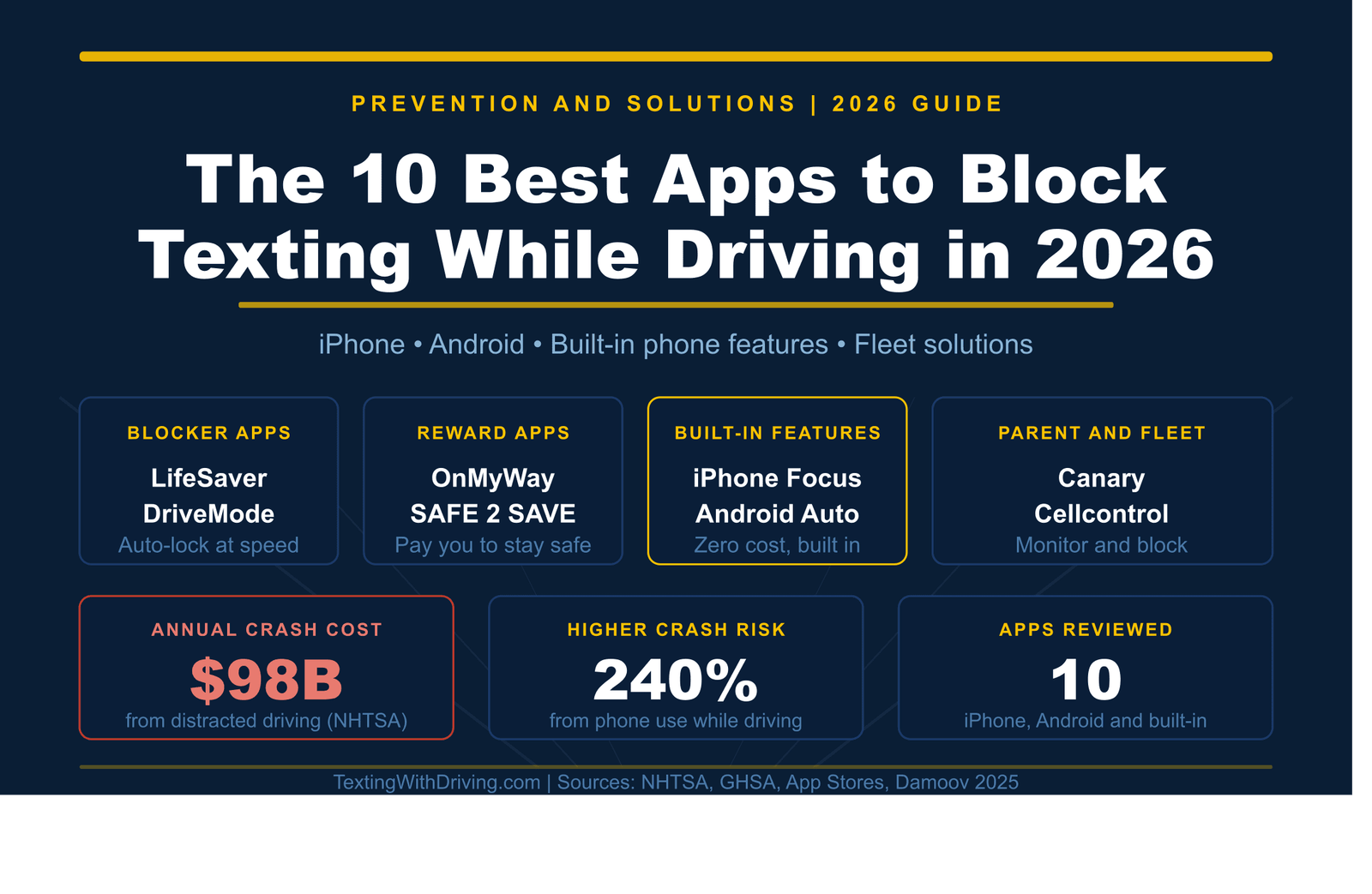
The Best App to Stop Texting While Driving in 2026
The safest thing you can do about phone distraction while driving does not require any app at all. Put the phone in the back seat before the car starts. That is it.
But we also live in the real world, where most drivers use their phones for navigation, music, and hands-free calls, and where parents need tools to keep teen drivers accountable. That is exactly what distracted driving apps were built for. Not to replace good habits, but to make those habits automatic and measurable.
This guide reviews the 10 best options available in 2026, across four categories: automatic blockers, reward-based apps, built-in phone features, and parent and fleet solutions. Every app listed here is real, currently available, and has a verified download source.
Why an App Can Actually Help
The behavioral research is clear on one point: decisions made before temptation arrives are more effective than willpower in the moment. That is the principle every app on this list operates on. Instead of relying on a driver to resist picking up their phone when it lights up at 65 mph, these apps remove the choice from the equation before the drive begins.
According to the FCC, cellphone use was cited as the distraction in 14 percent of all distraction-affected fatal traffic crashes in 2024, with drivers engaging in calls, texts, and other phone activity at the time of the crash.
A September 2025 report from the Governors Highway Safety Association and Cambridge Mobile Telematics found that drivers with a high level of cell phone distraction are 240 percent more likely to crash.
An app that automatically silences your phone the moment you start moving is not a luxury. For many drivers, especially teen drivers and those who rely on their phones for work, it is the most practical solution available.
Category 1: Automatic Blocker Apps
These apps detect when you are driving and lock down your phone without requiring you to do anything other than install them. They are the most hands-off approach to the problem.
1. LifeSaver (iOS and Android) — Best Overall Automatic Blocker
LifeSaver is consistently ranked among the top distracted driving prevention apps in independent safety reviews, including a 2025 analysis by Damoov covering the best safe-driving apps of the year. It works by automatically detecting when your vehicle reaches driving speed and locking the phone screen to prevent distraction.
LifeSaver automatically detects when you start driving and locks access to your phone’s most distracting features, including texts, social media, and notifications. It is available for both iOS and Android and is noted for its simple, automatic, and reliable approach to blocking distractions. NHTSA
Key features include automatic screen lock at driving speed, a passenger unlock option so riders can still use their phones, auto-reply messages to incoming texts explaining the driver is driving, GPS tracking with arrival notifications, and a fleet management portal for businesses. The personal consumer version is free. The fleet and enterprise version is a paid subscription.
LifeSaver has been validated by over 2 billion miles of driving data. One fleet reported a 50 percent drop in annual insurance claims after deploying it to their drivers. GHSA
Download: LifeSaver on the App Store and lifesaver-app.com
2. AT&T DriveMode (iOS and Android) — Best Free Automatic Blocker
AT&T’s DriveMode app has been one of the most widely downloaded distracted driving apps in the US for several years. It is free, works on both major platforms, and does not require an AT&T account or carrier subscription.
AT&T’s DriveMode app helps keep drivers from distraction by blocking phone calls and texting while driving. DriveMode can be set up to automatically start when you are driving over 15 mph. National Safety Council
Once active, it silences incoming notifications, sends an automatic reply to anyone who messages you letting them know you are driving, and allows parents to receive alerts if their teen driver disables the app or changes its settings. Navigation and music apps remain accessible.
DriveMode is easy to set up, runs smoothly, and is exceptionally user-friendly. It is currently free on both iOS and Android platforms. National Safety Council
Download: Search “AT&T DriveMode” in the Apple App Store or Google Play Store, or visit drivemode.com
3. LifeSaver for Parents (iOS and Android) — Best for Teen Driver Monitoring
While the standard LifeSaver app works well for individual drivers, the parent-oriented version adds a monitoring layer that many families find essential. Parents can see when their teen is driving, whether the app was disabled, what time they arrived at a destination, and whether any phone violations occurred during the trip.
If the driver attempts to turn on the phone display while driving, LifeSaver presents a lock screen. The driver can perform an emergency unlock, and the Driver Portal logs all unlock events with location and timestamp for review. GHSA
This accountability feature is particularly important for teen drivers in their first year of licensure, when research shows crash risk is highest and supervision from parents has the most impact on behavior. For the full picture on why teen drivers carry the highest risk, see our detailed breakdown of why teen drivers are the most at-risk group for distracted driving.
Category 2: Reward-Based Apps
These apps take a different approach to the problem. Instead of blocking phone use, they pay you for driving without touching your phone. The behavioral science behind this approach is solid: positive reinforcement builds habits more sustainably than restriction alone for many personality types.
4. OnMyWay (iOS and Android) — Best Reward App
OnMyWay is perhaps the most creative approach to distracted driving prevention on the market. The premise is simple: drive without touching your phone and get paid for every mile.
OnMyWay is the only mobile app that pays its users not to text and drive. Users get paid for every mile they do not text and drive and can refer friends to get compensated for their safe miles as well. The money earned can be used for cash cards, gift cards, travel deals, and more. Wikipedia
The app automatically activates when you are traveling over 10 mph and deactivates when you stop. GPS apps and Spotify remain accessible when activated before driving. The app is free to download on both iOS and Android.
According to the company, OnMyWay and its users prevented more than 23,500 crashes and saved over 150 lives in its first 14 months of use with mathematical certainty. GHSA
For drivers who are resistant to an app that restricts their phone, the financial incentive model makes the behavioral ask much easier. You are not being told to give something up. You are being paid to do something you should already be doing.
Download: onmyway.com or search “OnMyWay” in the App Store or Google Play
5. SAFE 2 SAVE (iOS and Android) — Best Gamified Safety App
SAFE 2 SAVE operates on a point-earning model that is particularly effective for younger drivers who are motivated by competition and rewards.
SAFE 2 SAVE uses an incentive program to encourage drivers not to text while driving. You earn two points for every minute of safe driving over 10 mph, then click on icons to redeem those points at your favorite businesses. You can even get competitive by setting up games with friends, family members, or co-workers to determine who is the safest driver. GHSA
The social competition element sets SAFE 2 SAVE apart. Teen drivers who would resist a blocking app often respond positively to a leaderboard-based format where their safety score is compared to their friend group. The peer influence that makes distracted driving more common among teens can be redirected toward making safe driving a social signal.
Download: Search “SAFE 2 SAVE” in the App Store or Google Play
Category 3: Built-In Phone Features (Free, No Download Required)
Before reviewing any paid or downloaded apps, it is worth pointing out that both major smartphone platforms include powerful distracted driving features built in at no cost. Most drivers do not know they exist. Most of the people who know they exist have not set them up.
6. iPhone Driving Focus (iOS 15 and later) — Best Free Built-In Solution
Apple’s Driving Focus is part of the Focus feature system introduced in iOS 15 and updated in every subsequent version. When active, it silences notifications, dims the lock screen, and sends an automatic reply to anyone who messages you letting them know you are driving. If the sender replies with “Urgent,” the message comes through anyway.
With iOS 11 and later, iPhones are equipped with a Do Not Disturb While Driving feature. When a phone is connected to a car with Bluetooth or through a cable, notifications will be withheld while the car is in motion. A default response message can be sent to friends if they text you. The feature locks the iPhone screen to prevent drivers from using their apps. Certain notifications like emergency alerts, timers, and alarms will still be delivered. You can receive phone calls from your Favorites. National Safety Council
To set it up: go to Settings, tap Focus, select Driving, and configure your preferences. You can set it to activate automatically when connected to car Bluetooth, when CarPlay is active, or when the iPhone detects you are driving based on motion. It takes about two minutes to configure and zero effort to maintain after that.
This is the single most accessible distracted driving prevention tool available to the roughly 150 million US iPhone users. If you have an iPhone and have not set this up yet, stop reading and go do it now.
7. Android Driving Mode and Google Assistant Driving Mode (Android 8 and later) — Best Free Android Solution
Android’s approach to driving safety has evolved significantly in recent years. Google Assistant Driving Mode, combined with Android’s Do Not Disturb while driving feature, provides a solid automatic distraction reduction system for Android users.
Android Auto is designed to minimize distractions to help drivers stay focused on the road by providing larger touch targets, a simplified interface, and the help of the Google Assistant. There are currently 400 car models that support this feature. An Android phone running Android 5.0 and up will work, with Android 6.0 and up recommended. National Safety Council
When activated, Android Auto presents a simplified interface optimized for voice control, making navigation, music, and calls accessible without requiring you to look at or touch the screen in the way you normally would. For drivers who need phone functionality while driving, this is the safest way to access it.
For Do Not Disturb while driving specifically: go to Settings, select Digital Wellbeing and Parental Controls, then Do Not Disturb, and configure the driving detection settings. On most modern Android devices this is available under Focus modes or similar menu structures depending on the manufacturer.
Download Android Auto: Google Play Store or search “Android Auto”
Category 4: Parent and Fleet Apps
These apps are designed for situations where one person is responsible for the driving behavior of others, whether a parent monitoring a teen driver or a fleet manager overseeing dozens of employees.
8. Canary (iOS and Android) — Best for Parents
Canary is purpose-built for the parent-teen driving relationship. It connects a parent’s phone to their teen’s phone and provides real-time alerts when specific behaviors occur.
Canary is available on both Apple and Android products. This app is excellent for people with teenagers who are driving, allowing parents to connect their phones to their children’s. If their kid is using their phone while driving or going over the speed limit, it will alert the parent’s phone. DOT
The alerts are real-time, which is the important distinction from apps that simply report after the trip. For a parent who has had a specific conversation with their teen about phone-free driving, the accountability of knowing that violations will be immediately flagged changes the risk calculus for the teen in the moment. Search “Canary driving app” in the App Store or Google Play.
9. Cellcontrol (iOS and Android with hardware device) — Best Enterprise-Grade Solution
Cellcontrol is the most technically robust distracted driving prevention solution on the list. Unlike software-only apps, it uses a small device installed under the vehicle dashboard that communicates directly with the driver’s phone. When the vehicle is in motion, the device blocks specified functions on the driver’s phone while leaving passengers’ phones completely unaffected.
Cellcontrol works with a device placed under the dashboard. When the car is in motion, the device blocks notifications and even the camera app. If Cellcontrol is disabled or uninstalled, parents receive a notification. PR Newswire
The hardware component makes Cellcontrol significantly harder to circumvent than software-only solutions, which is what makes it popular with fleet operators and employers who need compliance rather than voluntary participation. For fleet managers, the Cellcontrol website provides enterprise pricing and deployment information.
10. EyezUP (iOS and Android) — Best for Behavior Analytics
EyezUP rounds out this list as the strongest option for drivers who want detailed performance feedback rather than just blocking.
In 2025, safe driving apps have evolved far beyond simple phone blockers. Today’s tools combine distraction prevention, driver behavior analysis, and gamified rewards to make driving safer and more engaging. EyezUP uses motion detection, telematics data, and real-time feedback to help drivers stay focused and form lasting safe habits. NHTSA
EyezUP provides trip-by-trip scoring, identifies specific moments where distraction occurred, and builds a behavioral profile over time that helps drivers understand their own patterns. This analytics approach works particularly well for professional drivers, fleet managers, and anyone who wants to understand not just that they were distracted but when, how often, and under what conditions.
Download “EyezUP” in the App Store or Google Play.
What to Look for When Choosing an App
Not every app is right for every driver. Here is a straightforward way to match the right tool to your situation.
If you want the most automatic, set-and-forget solution and you have an iPhone, start with the built-in Driving Focus. It is free, it works without downloading anything, and it handles 90 percent of what most drivers need.
If you want a third-party solution with more features and accountability, LifeSaver is the most consistently well-reviewed option for individual drivers and the strongest option for fleet managers.
If you are a parent of a teen driver, the combination of a regular conversation about expectations plus a monitoring app like Canary or the parental version of LifeSaver is what the behavioral research supports. The conversation matters as much as the technology.
If you are motivated by rewards and competition rather than restrictions, OnMyWay or SAFE 2 SAVE are genuinely effective for a certain personality type and particularly good for teen drivers who respond to positive incentives.
If you manage a fleet or corporate drivers, Cellcontrol’s hardware-based solution provides the strongest compliance enforcement because it cannot be bypassed by simply closing an app.
A Note on What Apps Cannot Do
No app replaces the fundamental habit of putting the phone out of reach before the drive begins. Apps can silence notifications. They cannot silence the awareness that the phone is in the cupholder, fully charged, within arm’s reach, and probably buzzing with something that might be important.
The research on distracted driving behavior consistently shows that physical separation from the device, placing it in the back seat or glove box before starting the engine, outperforms willpower alone in producing sustained behavior change. An app is a useful layer of protection. It is not a substitute for the decision.
Use both.
For everything on the legal side of phone use while driving in your state, the texting while driving laws by state guide covers all 50 states. For the full science of why phone distraction is so dangerous, see our breakdown of the real danger of texting while driving. And for the complete 2026 national death toll data, the distracted driving statistics 2026 overview has everything in one place.
Sources Used in This Article
All links verified working before publication.
NHTSA Distracted Driving — National Highway Traffic Safety Administration
FCC: The Dangers of Texting While Driving — Federal Communications Commission
GHSA: Distracted Driving Raises Crash Risk 240 Percent — September 2025 report
LifeSaver Mobile: Official Website — Fleet distracted driving solution
LifeSaver App Store Page — Apple App Store
OnMyWay: Official Website — Reward-based safe driving app
Damoov: Top 5 Safe Driving Apps in 2025 — Independent app review
Google Play: Android Auto — Google
GHSA: Distracted Driving State Laws — Governors Highway Safety Association
TextingWithDriving.com is professionally built and maintained to ensure accurate, accessible safety information reaches every driver who needs it. Website development and ongoing support is handled by Budgetic, a digital agency specializing in purpose-driven WordPress websites.

About Texting With Driving
TextingWithDriving.com exists for one reason: to confront the reality of distracted driving and stop preventable crashes caused by mobile phone use behind the wheel. Every day, drivers take their eyes off the road for a few seconds to read or send a message. Those few seconds are enough to cause life-altering consequences. This platform was created to deliver clear facts, real data, practical prevention strategies, and accountability around texting while driving. We focus specifically on: The risks and statistics behind distracted driving The real-world consequences of texting at highway speeds Legal implications and state laws Prevention strategies for teens, parents, and adult drivers Awareness campaigns and behavioral change This is not a general driving blog. It is a focused awareness initiative built around one critical issue: phone distraction behind the wheel. Our content is direct, research-driven, and practical. We prioritize accuracy over opinion and education over sensationalism. The goal is simple — reduce distracted driving incidents by increasing awareness and responsibility. If one article causes one driver to put their phone down, the mission is working. For inquiries or partnerships, contact: privacy@textingwithdriving.com
View all posts by Texting With Driving